
The Move to Passkeys
We have all seen this alert from all of the big tech companies in the past month.
"Register a new Passkey to keep your account secure"
But what is a Passkey, why do we need it, and why does it make us more secure? Does it really make us safer on the internet? TLDR; Yes, you will be safer. But don't you dare lose your computer!
You are who you say you are
In today's digital world, big companies like Google or Microsoft spend a lot of time and money making sure that only YOU can sign into your account. To make sure you are who you say you are, services need at least 3 things to verify your identity.
1. Who you are (Usernames, email addresses)
2. What you know (A password or a pin)
3. What you have (Usually your phone)
When you sign into a service on the internet, you used to tell them who you were (Email address), then tell them what you know (a password). Anyone who knew your password could sign into an account with your name on it, forcing users to endure 14-day password changes and unreasonable password requirements (Side note, passwords are too hard for humans to remember! Use this if you have issues with unreadable passwords)
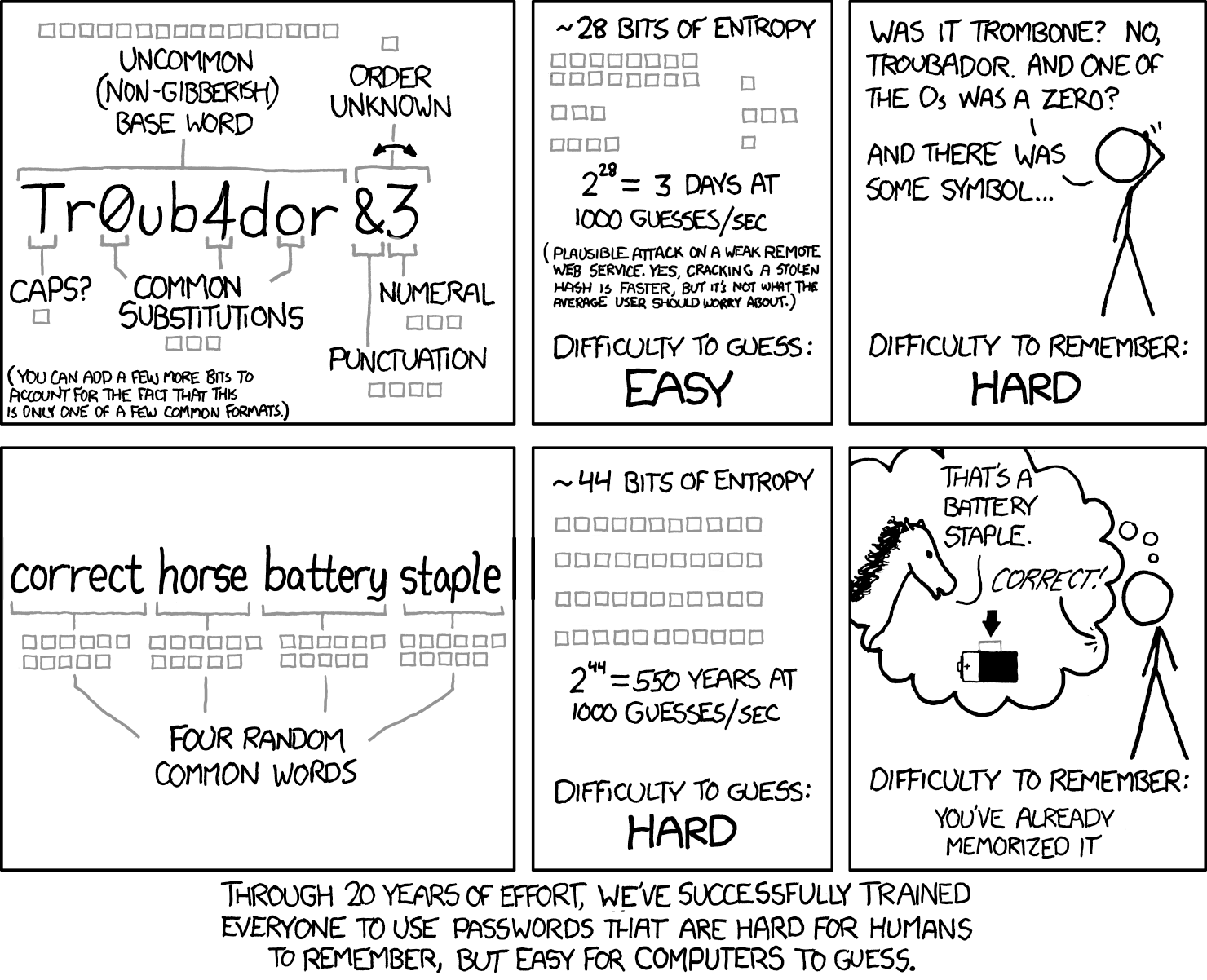
Since who you are and what you know is not enough to ensure that it's not a bad actor logging into your account, big tech came up with a wonderful solution.
MFA
Depending on how Multi Factor Authentication was introduced to you, you might have some serious animosity towards those three letters. I get it! Another step to sign into simple programs is a wrench in the gears of your workflow. Unfortunately, it is one of the only ways to make sure that some guy on the other side of the world isn't guessing your password with the help of an array of machines.
With multiple factors of authentication, accounts were more secure. Apps like DUO and Microsoft Authenticator could be installed on your mobile phone. You could even recieve a simple text message from some services to prove that your phone is "What you have".
In computer security, you always have to ask the What If. What If makes you ask the questions that an attacker would ask. What if a bad actor managed to take a phone? What if someone convinces your phone company that they are you, and now they get your text messages? What if, using AI, a bad actor could automate these process at an incredible scale?
Like an old school keyring
This is where Passkeys come in. They are in all shapes and size, some of them a little dongles that hold your information. Some of them could live in a special chip on your phone or computer. Some might live in a password manager, using software to pretend to be one of those special little chips.
You can think of those dongles and chips just like a ring of keys. They save a file that links to your identity right on the device (using math that is a bit over my head), and it shares a portion of that file with Google, Microsoft, or whoever.
In all aspects, passkeys are a way to verify steps 2 and 3 in identity. You need a password to unlock your Passkey (What you know), and the keys live on the chip (What you have).
It seems like an awful lot of precaution, doesn't it?
I think that the reason people chafe against these increasing security requirements is that no one has ever explained to them the dangers out in the internet. It is a wild, wild world in digital space, with bad actors guiding bad bots to do bad things. Anything on the internet is there for the taking, if you know enough about how it all works. Those are the kinds of people that we defend against. And the best thing you can do for your own internet safety is to stay informed, up to date, and have someone that you can call when things get hairy.
Solutions for every workflow
I mentioned before that Passkeys come in all shapes and sizes. For your business, we can offer a wide range of integrations for any hardware or software the you need. Here are some examples of passkeys that we or our customers use:
YubiKey Dongles (Tyler's Favorite!)
Requires a pin number to unlock, set by the user. 4 digit minimum.
iPhone / Android
Both offer Passkey support, but will need bluetooth enabled on the phone AND on your computer.
Windows
Windows Hello offers passkeys right on your laptop or desktop. They are secured with encryption and your password.
Mac
Did you ever use TouchID? That was technically a passkey a long time ago
Bitwarden (or other password managers)
Bitwarden can give you the ability to save a passkey in an online service, so that you can't lose them
As you can see, no matter your platform or data, there are always ways to stay safe. We take security very seriously. Reach out today to keep your peace of mind safe, and your data secure.
Reach Out!